


Contacting support
Write to our team, follow your conversations under Settings → Support, and reply.
Before you start
Search this help centre first: the answer may be a minute away. Signed in, your messages are linked to your account; without an account you write with your e-mail address and follow the conversation through the link we e-mail you.
Write to us
- Select Contact at the bottom of any page (or Contact support in the help centre).
- Choose what it is About (1): account and sign-in, billing and invoices, a package, Composer and tokens, organisations, or something else.
- Write a Subject (2) and your Message (3). For Composer problems, name the package, the token (its name, never the token itself) and the error message.
- Select Send (4).
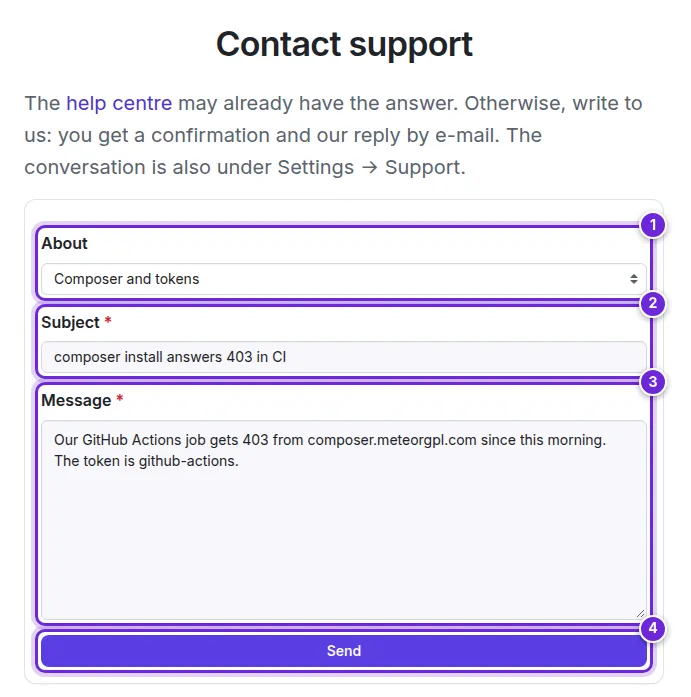

You get a confirmation by e-mail with the ticket number (#00012), and our reply by e-mail and in your inbox.
Your conversations
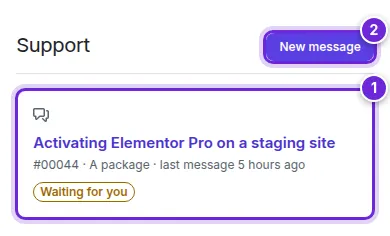
Settings → Support lists your tickets (1) with their number, topic and state: Open, Waiting for you (we answered) or Closed. New message (2) starts another one.

Open a ticket to read the conversation. Our answers (1) are marked as coming from support.
- Write in Reply (2) and select Send reply.
- Send and close (3) sends your reply and closes the ticket when your question is settled.
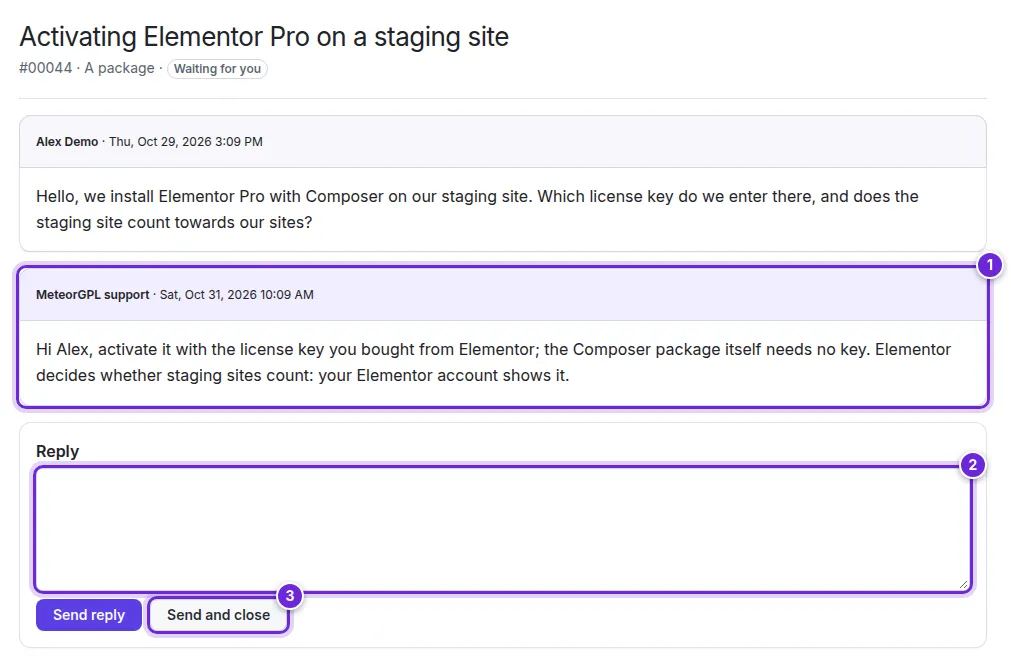

A closed ticket cannot be answered; start a new one if you need more help.
Questions
Never send passwords, Composer tokens, API keys or license keys in a message: we never ask for them.
Did this not answer your question? Contact support.