


Sessions, security log and connected accounts
See where you are signed in and sign other browsers out, review sign-ins and changes, and connect GitHub or Google.
On this page
Sessions
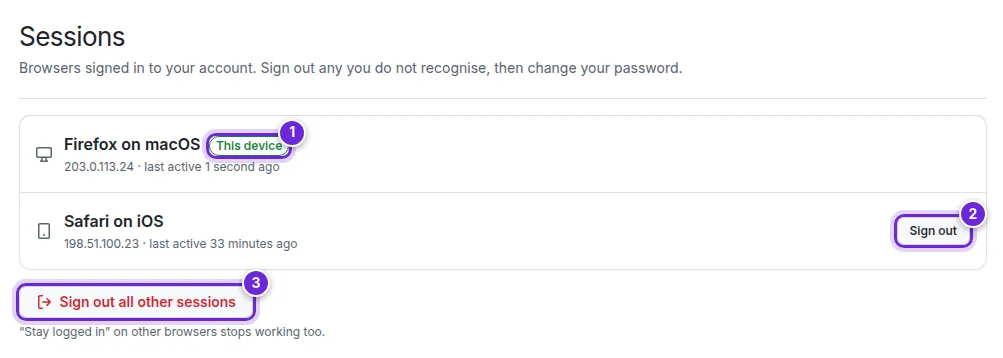
Settings → Sessions lists the browsers signed in to your account, with their address and when they were last active. This device (1) is the browser you are using.
- Select Sign out (2) next to a session you do not recognise.
- Or select Sign out all other sessions (3): Stay logged in on other browsers stops working too.
- Then change your password (Password, two-factor authentication and passkeys).

Security log
Settings → Security log records sign-ins (and failed attempts), changes to your password, e-mail address, two-factor settings, passkeys and connected accounts, sessions signed out, Composer tokens created and revoked, and subscription events.
- Show one kind of event with the filter (1).
- Each line (2) says what happened, how (password, passkey, two-factor …), from which browser and address, and when.

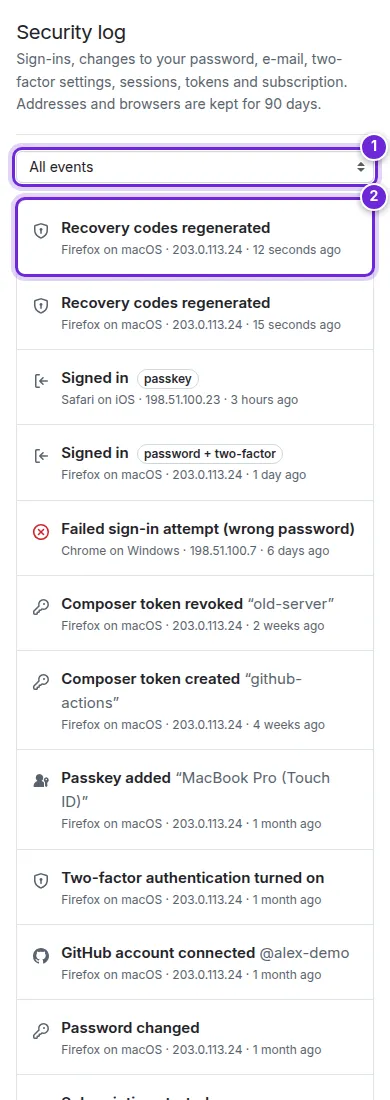
Addresses and browsers are kept for 90 days. A sign-in from a new device also sends you an e-mail and an inbox notice.
Connected accounts
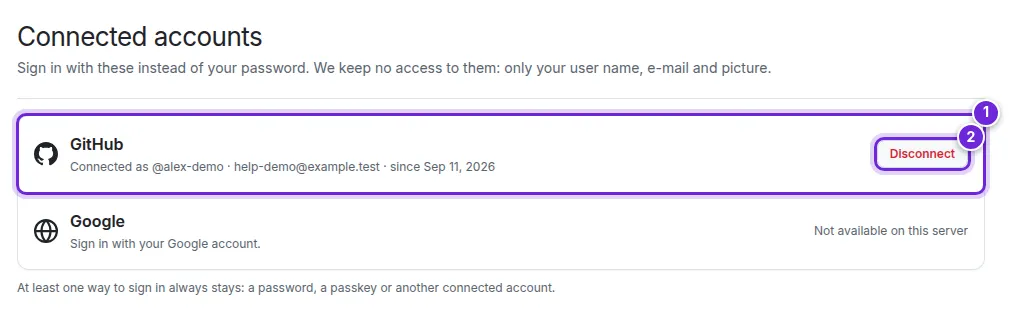
Settings → Connected accounts lets you sign in with GitHub or Google instead of your password. We keep no access to those accounts: only your user name, e-mail address and picture.
- Each provider (1) shows the account it is connected to and since when.
- Connect GitHub or Connect Google links one; Disconnect (2) removes it.

Choosing Continue with GitHub or Continue with Google on the login page while an account with that e-mail address exists already opens Connect GitHub to your account: log in to that account once (password, passkey or another connected account) and the provider is connected; from then on the button signs you in directly.
At least one way to sign in always stays: a password, a passkey or another connected account. Connecting GitHub also shows your GitHub picture on the site, and lets a vendor prove it publishes on GitHub (Claiming your vendor profile).
Did this not answer your question? Contact support.